Blog

Top 10 Home CNC Machines for Global Buyers

Choosing a home CNC machine is not just a matter of comparing prices or counting axes. The right choice depends on what you plan to make, how much space you have, and how comfortable you are with setup. A desktop router may suit engraved signs or small wooden parts. A sturdier machine may be more appropriate for repeated work or tougher materials. Small details matter.

A fair editorial paraphrase of CNC author and educator James Floyd Kelly’s practical approach is: “Choose the machine for the work, not the wish list.” That idea guides this Top 10 comparison for global buyers. It looks beyond headline specifications to work area, frame rigidity, spindle capability, software, maintenance, and available support. A quiet machine is not automatically a capable one. Nor does a long feature list guarantee an easy first project.

The guide also considers the everyday realities buyers can overlook: a machine’s footprint on a crowded workbench, dust around the rails, and the time needed to learn its controls. These details are not glamorous. They are real. No ranking can predict every workshop, and a compact model may still disappoint if a project outgrows its working area. Use the comparisons as a starting point, then check each manufacturer’s specifications and support options before buying. A little doubt is useful here; the best home cnc machine is the one that fits your actual work, not an imagined workshop.
Top 10 Home CNC Machines for Global Buyers

Understanding Home CNC Machines and Their Main Types

Home CNC machines use computer-controlled movement to cut, carve, engrave, or shape material. The machine follows a toolpath created in design software, while the operator secures the workpiece and checks each setup. Small size does not mean every model handles every material. A light frame may work well with wood but struggle to maintain accuracy in harder stock.

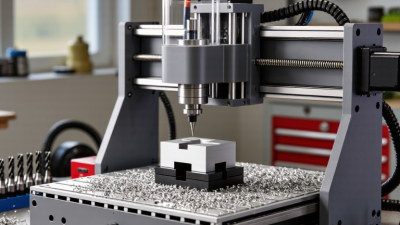
CNC routers usually have a moving spindle and a broad work area. They suit wood, plastics, and some soft metals when the machine is rigid enough. Desktop mills are more compact and typically built for controlled cutting of metals, though their working area is smaller. Laser machines mark or cut suitable sheet materials with focused heat, rather than a rotating bit. Each type has different limits. I would not choose by advertised speed alone; noise, dust, tool access, and reliable workholding matter in a real home workshop.

Tips: Match the machine to your most frequent material and part size. Check spindle clearance, enclosure, and dust or fume control before buying. Leave room for clamps and maintenance. A small test cut can reveal vibration or setup errors early. Even careful planning misses something sometimes.

Key Features to Compare Before Choosing a Home CNC Machine

For home buyers, compare the work envelope, rigidity, spindle power, and support—not just advertised accuracy. A 300 × 180 mm bed may suit small signs, but it cannot safely hold every long workpiece. Check the machine’s stated materials and cutting depth against your real projects. A light frame can vibrate during cutting, leaving ripples on an edge. Small details matter. Also compare software compatibility, dust control, noise, replacement parts, and setup time. A machine that fits a desk but needs constant adjustment may not be practical.

Market data offers context, not a buying verdict. Grand View Research estimated the global CNC machine market at USD 83.99 billion in 2023 and forecast 6.3% annual growth from 2024 to 2030. That figure covers a broad market, not home machines specifically. The International Federation of Robotics reported 4.28 million industrial robots operating worldwide in 2023; this signals wider automation, but does not prove that desktop CNC demand is rising at the same rate. Read specifications carefully. I would still question any accuracy claim without test conditions, material, and measurement method. Check whether the quoted tolerance applies after setup, too. Not always. A clear manual, reachable technical support, and realistic maintenance requirements can matter more than a higher feed-rate number.

Top 10 Home CNC Machines for Global Buyers

For global buyers, the best home CNC machine depends on material, workspace, and local support—not just cutting speed. A practical shortlist might include a small three-axis router, an enclosed desktop router, a 3040 router, a 6040 router, a benchtop mill, a mini CNC lathe, a router with a fourth axis, a compact four-axis mill, a small five-axis mill, and a desktop engraver. These options differ greatly in rigidity and learning curve. Small machines save space. They also limit the size and thickness of workpieces.

Before ordering, check the machine’s working area against a real project, such as a 300-millimeter sign or a metal bracket. Confirm voltage and frequency compatibility, plug type, shipping dimensions, and whether replacement parts can reach your region. Ask for clear manuals and sample cutting data. Details matter. A low purchase price can feel less attractive if setup instructions are unclear or support is difficult to contact.

Dust collection, guarding, emergency stops, and a stable bench deserve attention in any home workshop. Match the machine to the material: a light router may suit wood and plastics, while metalwork generally calls for greater rigidity and careful tooling. Check the manufacturer’s stated limits rather than relying on broad claims. I would not assume that a larger machine is automatically better; noise, vibration, and available floor space can change the decision. Some buyers may also underestimate setup time.

Matching CNC Machines to Materials, Projects, and Budgets

Choosing a home CNC machine starts with material, not advertised speed. For wood signs, plywood, and plastics, a compact router-style machine with a rigid frame may be enough. That matters. Check the work area against your actual stock; a 300-by-300-millimeter bed will not comfortably hold every panel described as small. For aluminum, prioritize stiffness, controlled feeds, and secure workholding over a large cutting area. A machine that can mark metal is not automatically suited to repeatable milling.

Project complexity also changes the budget. Engraving labels needs less travel and power than carving deep reliefs or making fitted parts. Include cutters, clamps, dust collection, an enclosure, and software in your estimate; these costs can quietly exceed the machine’s price. Dust adds up. Compare frame construction, supported file formats, replacement-part access, and setup instructions. These details seem dull, but they matter during regular use.

A shortlist can still be wrong if it reflects an imagined project rather than your real workload. Cheaper machines may need more alignment, while larger models can consume valuable bench space. Neither trade-off is automatically a deal-breaker. Note your common materials, maximum part size, desired detail, and full spending limit before comparing specifications. If you are unsure, choose for your most frequent project and verify material limits in the manual. Test cuts on scrap can reveal problems before they affect a finished piece.

Top 10 Home CNC Machines for Global Buyers - Matching CNC Machines to Materials, Projects, and Budgets

The options below are representative machine categories, not specific product models. Work areas, capabilities, and prices vary by configuration and market; budget ranges are approximate USD estimates for machine hardware only.

Rank Machine Type Typical Work Area Suitable Materials Best-Fit Projects Typical Budget (USD) Key Considerations
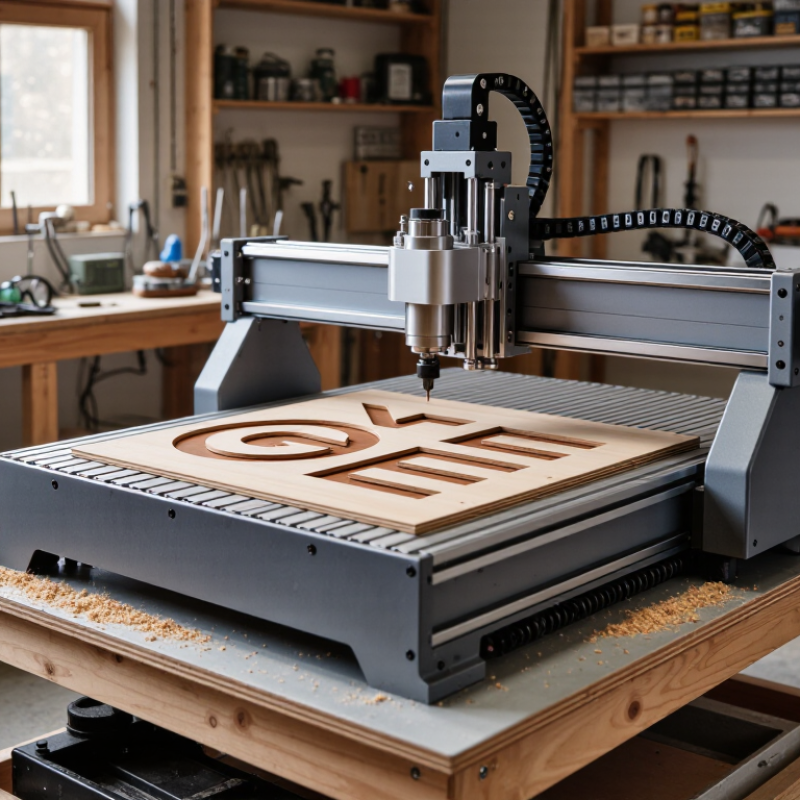
1 Desktop CNC router Approx. 300 × 180 to 600 × 400 mm Wood, plywood, plastics, engraving wax; light aluminum with careful setup Signs, small panels, inlays, hobby parts, and learning CNC workflows $300–$2,000 Compact and accessible; rigidity, dust collection, and usable Z-height vary widely.
2 Benchtop CNC router Approx. 600 × 600 to 1,000 × 600 mm Wood, MDF, plywood, plastics, and non-ferrous metals at conservative settings Furniture components, cabinet templates, instrument parts, and larger signs $1,000–$5,000 Check frame stiffness, workholding options, spindle compatibility, and available floor space.
3 Large-format hobby CNC router Approx. 1,200 × 1,200 to 1,300 × 2,500 mm Sheet goods, solid wood, foam, and plastics Full-size cabinet parts, plywood furniture, large signs, and decorative panels $3,000–$12,000 Requires substantial space and dust management; confirm electrical needs and assembly access.
4 Desktop CNC mill Approx. 100 × 100 to 300 × 200 mm Aluminum, brass, plastics, and some steels within machine limits Precision brackets, small mechanical components, and mold or fixture work $2,000–$10,000 A rigid frame, low backlash, suitable tooling, and chip control matter more than cutting area.
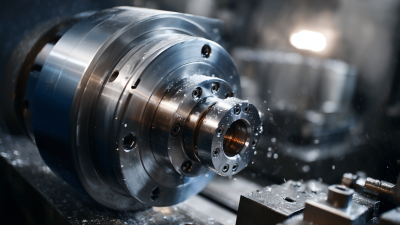
5 Benchtop CNC lathe Approx. 100–250 mm swing; 200–500 mm between centers Aluminum, brass, plastics, and machinable steels depending on rigidity and tooling Bushings, knobs, shafts, spacers, and other round components $2,500–$12,000 Best for rotational parts; verify tool-change capability, chuck size, and guarding.
6 Desktop diode laser engraver Approx. 400 × 400 to 800 × 800 mm Uncoated wood, paper, cardboard, and some opaque plastics; coated metals can be marked Engraving, labels, craft work, and thin-material cutting within laser limits $200–$2,000 Not suitable for clear glass or bare reflective metal engraving without appropriate methods; enclosure and ventilation are important.
7 Enclosed CO₂ laser cutter Approx. 300 × 200 to 600 × 400 mm Acrylic, wood, paper, cardboard, and textiles; material compatibility must be checked Cutting and engraving signs, model parts, packaging prototypes, and craft products $1,500–$8,000 Requires effective exhaust and fire precautions. Never laser-cut PVC or unknown plastics.
8 CNC drag-knife cutter Approx. 300 × 300 to 600 × 900 mm Vinyl, paper, cardstock, thin gasket sheet, and selected flexible films Decals, stencils, labels, templates, and flat-pattern cutting $200–$2,000 Low noise and minimal dust; it cuts sheet materials rather than milling rigid stock.
9 Rotary-axis CNC router Typical linear bed: 300–900 mm; rotary capacity varies Wood, plastics, and soft metals when supported by the machine setup Engraved cylinders, turned-style reliefs, small sculptures, and indexed rotary work $800–$5,000 Confirm rotary-axis compatibility, usable diameter, tailstock support, and software setup.
10 Compact CNC plasma table Approx. 600 × 600 to 1,200 × 1,200 mm Electrically conductive sheet metal, commonly mild steel; cutting capacity depends on the torch Metal brackets, decorative panels, and small fabrication parts $2,000–$8,000, excluding some power and ventilation equipment Needs safe ventilation, electrical capacity, and fire control; unsuitable for quiet indoor use without proper provisions.

Before buying, compare the actual cutting area, machine rigidity, software and controller support, local voltage, shipping costs, tooling, dust or fume extraction, and required safety equipment. Material capability depends on the specific machine, tooling, workholding, and operating conditions.

Setup, Safety, and Maintenance for Home CNC Machines

A home CNC machine needs a stable, well-lit surface with room for the moving gantry and tool changes. Before cutting, check that the machine is level and the workpiece is firmly secured. A loose clamp can turn a clean cut into a damaged part. Keep cables clear of moving components, and connect dust extraction where suitable. Wear eye protection, keep the enclosure closed during operation, and know how to use the emergency stop. Read the machine’s manual; control layouts and safe procedures vary.

After each session, remove chips with a brush or suitable vacuum, not your fingers. Fine dust can collect around rails and affect smooth movement. Check belts, fasteners, and the cutting tool for wear or looseness. Disconnect power before cleaning near moving parts or changing a tool. I used to rush cleanup, and small chips left behind made the next setup less predictable. Small details matter.

Tips: Run a short test cut in scrap material before a valuable job. Keep a simple maintenance log with dates, tool changes, and unusual sounds. Stop the machine if vibration or noise changes; guessing is not a repair plan.

Home CNC Machines: Comparing Typical Bed Areas

Representative nominal bed formats are shown for comparison. Usable cutting travel varies by machine; check the specifications and safety instructions for the exact machine you choose.

Larger beds can handle bigger workpieces, but require more space and careful setup. Secure the workpiece, keep the work area clear, and follow the machine manual for operation and maintenance.

Go to Top