
Blog

Top 10 Screen Printing Machines for Every Budget

Choosing a Screen Printing Machine is less about chasing the biggest press and more about matching capacity to real workloads. A home studio printing a few shirts needs different equipment from a shop handling repeat orders, multiple colors, and daily production. Grand View Research’s Screen Printing Market Size, Share & Trends Analysis Report examines demand across applications and regions, offering useful context for buyers. But market growth alone cannot tell you whether a compact manual press or an automatic system fits your workspace.

The right choice depends on practical details: print area, color stations, registration accuracy, setup time, and available floor space. A small tabletop unit may suit short runs, while a sturdy multi-station press can reduce handling between colors. Smithers’ industry research on the global print market provides a broader view of changing print technologies and production needs. These reports help frame the market; machine specifications and sample prints still deserve close inspection. Details matter.

This guide compares ten machines across price levels, from entry-level equipment to higher-capacity options. It considers what buyers can verify, including construction, workflow, and stated production features. No ranking can fit every shop perfectly. Budget, operator experience, and order volume change the answer, sometimes more than expected. Use the comparisons as a starting point, then check current specifications and supplier support before purchasing.
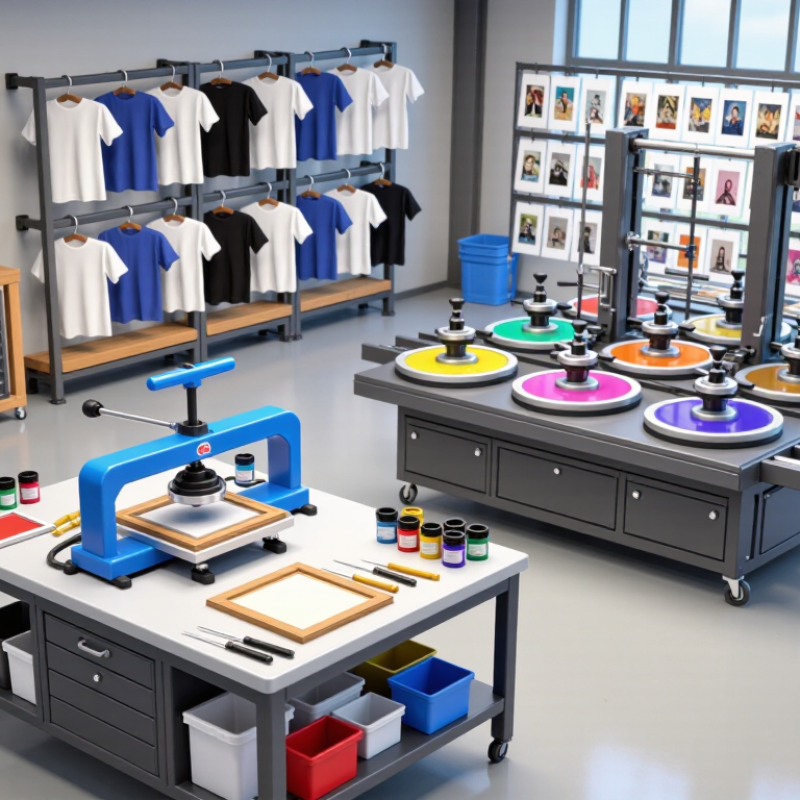
Top 10 Screen Printing Machines for Every Budget

Screen Printing Machine Types: Manual, Semi-Automatic, and Automatic Presses

Manual, semi-automatic, and automatic presses suit different production needs. A manual press keeps the entry cost lower and gives operators direct control over each stroke. It works well for short runs, but pulling several screens by hand can tire a small team. Semi-automatic presses handle the print stroke mechanically while operators load garments and manage screens. They can improve consistency without removing hands-on setup. Automatic presses suit repeat orders and larger volumes, though their space, maintenance, and training costs are substantial.

A useful budget check is labor, not just the machine price. The U.S. Bureau of Labor Statistics reported a median annual wage of $40,090 for printing press operators in May 2023. That figure covers a broader occupation, not screen printing alone, but it highlights why output per operator matters. A faster press may still be a poor fit if setup time, artwork changes, or uneven order sizes keep it idle. The awkward part: many shops outgrow a manual press more slowly than expected.

Tips: Track setup and print times for a week. Test your busiest job on the press before buying. Check platen access, screen capacity, and available floor space. Leave room for mistakes; real production rarely runs as neatly as a demo.

Top 10 Screen Printing Machines for Every Budget — Screen Printing Machine Types: Manual, Semi-Automatic, and Automatic Presses
Option Press Type Typical Configuration Estimated Price (USD) Indicative Output Best Suited For Key Consideration
Compact Single-Color Press Manual 1 station, 1 color; tabletop or compact floor mount $100–$400 About 20–60 prints per hour Beginners, hobby projects, and occasional one-color jobs Low entry cost, but each item must be positioned and printed by hand.
Basic Four-Color Press Manual 1 station, 4 colors $300–$900 About 20–60 prints per hour Small shops producing simple multicolor designs in short runs Registration accuracy and a stable platen matter more as colors are added.
Four-Station, Four-Color Press Manual 4 stations, 4 colors $600–$1,800 About 30–80 prints per hour Home businesses and small apparel studios handling repeat orders Multiple stations allow loading and printing in sequence; the operator still indexes the press manually.
Four-Station, Six-Color Press Manual 4 stations, 6 colors $1,000–$3,000 About 30–80 prints per hour Small production shops printing more detailed multicolor artwork Offers more color positions, but requires careful screen setup and registration.
Six-Station, Six-Color Press Manual 6 stations, 6 colors $2,000–$5,000 About 40–100 prints per hour Growing shops with recurring multicolor apparel orders Higher capacity and more workflow flexibility require more floor space.
Six-Station, Eight-Color Press Manual 6 stations, 8 colors $3,000–$7,000 About 40–100 prints per hour Established manual shops producing complex designs and larger batches Additional color stations can improve job flexibility but increase setup time.
Entry-Level Semi-Automatic Press Semi-automatic Typically 4–6 colors; powered print stroke with manual loading and unloading $8,000–$20,000 About 100–300 prints per hour Shops seeking more consistent production without a fully automatic line Requires electrical power and more space; actual output depends on job and operator workflow.
Production Semi-Automatic Press Semi-automatic Typically 6–8 colors with adjustable print controls $15,000–$35,000 About 150–400 prints per hour Mid-sized operations with steady, repeatable order volumes Budget for installation, setup, maintenance, and compatible screens and platens.
Compact Automatic Press Automatic Typically 6–8 colors; powered indexing and print cycles $25,000–$60,000 About 300–700 prints per hour Shops moving from manual production to higher-volume apparel printing Needs trained operators, reliable utilities, and space for loading and curing equipment.
High-Production Automatic Press Automatic Typically 8–12 colors; production configuration with multiple stations $60,000–$150,000+ About 500–1,000+ prints per hour Large production facilities running long, repeatable jobs Output varies substantially by design, garment handling, curing capacity, and production setup.
Price and output figures are broad planning estimates in USD, not guaranteed specifications. Actual costs vary by configuration, condition, region, installation, and included accessories. Production rates depend on artwork, setup time, operator experience, garment handling, and curing capacity.

The 10 Best Presses by Budget, Print Area, Color Capacity, and Rated Speed

Top 10 Screen Printing Machines for Every Budget

The right press depends on more than its price tag. A compact one-color manual press suits samples and short runs, while a tabletop unit saves space for small shops. For growing workloads, a four-color, four-station press offers room to prepare the next garment while one is printing. Six-color presses handle more complex artwork, but each added station also needs floor space and setup time. Keep it practical.

Larger six- and eight-color presses provide more color positions and can reduce flashing between layers. Check the usable print area against your largest design, not just the platen’s advertised dimensions. A wide back print can expose limits quickly. Eight-color, eight-station models may fit busy production schedules, though their cost and footprint can be hard to justify for occasional jobs.

Rated speed helps compare automatic presses, but it is not a promise of daily output. Garment loading, ink changes, curing, and operator experience all affect real production. A midrange automatic may be a sensible step up; a high-output automatic is better suited to sustained volume and consistent staffing. I would still verify quoted speeds under comparable conditions. That detail is easy to miss. For a fair comparison, weigh budget, print area, color capacity, and realistic shop throughput together.

Entry-Level to Mid-Range Machines: Comparing Setup, Labor, and Throughput

An entry-level manual press keeps the purchase price and setup requirements relatively modest. The operator loads each shirt, moves the platen, and controls the print stroke. Simple. But every color adds screen alignment and handling time. On a short run, those minutes can outweigh the machine’s low cost. A clean worktable, consistent squeegee pressure, and careful registration matter more than a fast advertised cycle.

Mid-range presses often reduce repeated physical work, especially on longer runs. A semi-automatic unit can handle the print stroke, while an operator still loads garments and checks registration. That division may improve consistency and throughput, but it does not remove setup labor. Screens still need preparation, ink still needs adjustment, and a misaligned first print can waste valuable time. The bottleneck may simply move from printing to loading.

Compare machines using the jobs you actually expect to print. Record setup time, operators required, and acceptable finished shirts per hour for a few typical orders. Include color changes and cleanup. A machine that performs well on one-color shirts may slow down on detailed, multi-color work. The estimate will not be perfect; garment loading speed varies, and fatigue is easy to overlook. That is worth admitting before choosing a press.

Top 10 Screen Printing Machines for Every Budget

Entry-Level to Mid-Range: Comparing Setup, Labor, and Throughput

Bars show the midpoint of estimated impressions per hour. Hover over a bar for the estimated range, typical job setup time, and staffing. These are illustrative planning estimates, not manufacturer ratings; artwork, print complexity, operator experience, and curing or handling capacity can change actual production.

Production Presses: Evaluating Stations, Automation, Power, and Floor Space

A production press should be judged by useful output, not station count alone. More stations can support additional colors and flashes, but they also need more screens, setup time, and operator attention. For a small shop, a compact press with enough print heads for typical orders may outperform a larger machine that sits partly unused. Check the working diameter with a loaded screen, not just the frame dimensions. Small details matter.

Automation changes the pace of production. Automatic indexing can keep garments moving consistently, while a manual press offers direct control and a lower entry cost. Ask how quickly operators can adjust print pressure, platen height, and registration. Test those adjustments on a real job, if possible. A machine that looks simple in a brochure may feel awkward after several hours. That is easy to overlook.

Power and floor space can narrow the choice quickly. Confirm electrical requirements with a qualified installer before buying, and include dryers, flash units, and walkways in the floor plan. Measure the full path from loading to curing; a press that fits on paper may block access to supplies. Leave room for screens and garment carts. I would also allow extra space for maintenance, though shops often underestimate it. No layout stays perfect forever.

Industry Benchmarks: ISO 12647-5:2015 and Screen Tension in N/cm

ISO 12647-5:2015 provides process-control guidance for screen printing, but it does not set one universal screen-tension value for every job. Mesh type, frame size, ink, and substrate all affect the working range. When comparing machines across budgets, check whether the setup supports repeatable tension measurement and stable screen mounting.

Measure tension in newtons per centimetre (N/cm) with a calibrated tension meter. Take readings at several points, not just the centre. A screen reading 20 N/cm in the middle may still sag near its corners. Record the mesh, frame, readings, and measurement time; these details make later checks useful. Small differences matter.

Consistent tension helps control off-contact distance, print pressure, and image registration. It cannot compensate for worn mesh or poor squeegee technique. Nor does a higher reading automatically mean a better print. In a real shop, screens relax after stretching, and operators may miss that change during a busy shift. That happens. Before choosing equipment, ask how easily it holds a screen evenly and how practical routine tension checks will be. A modest machine with dependable setup controls may deliver more consistent results than a costly model used without measurement.

Go to Top