
Why Choose a CNC Machine for Your Business?
Choosing a CNC machine is not simply a matter of buying faster equipment. It is a decision about how your business will make parts, manage labor, and maintain consistent quality. A CNC machine follows programmed instructions to cut, drill, or shape material with repeatable movements. For a workshop producing aluminum brackets, that can mean matching hole positions across a small production run without relying on hand measurements for every piece.
The practical benefits depend on the work you actually do. Repeated jobs may become easier to schedule, while complex shapes can be produced with fewer manual steps. Operators can also spend less time guiding each cut and more time checking stock, tooling, and finished parts. Small details matter: a worn cutter, an incorrect work offset, or a poorly secured blank can still spoil a part. Automation does not remove the need for skill.
Costs deserve a clear-eyed look. The purchase price is only part of the investment; tooling, maintenance, training, software, and installation can affect the total. Not every shop needs the same machine. A business making occasional custom pieces may value flexibility more than high-volume speed. It is easy to focus on impressive specifications and overlook daily workflow. That can be a costly mistake. A careful comparison of materials, part sizes, production volume, and operator experience helps reveal whether CNC equipment fits your operation—and where its limits may be.
What a CNC Machine Is and How It Works
Why Choose a CNC Machine for Your Business?
What a CNC Machine Is and How It Works
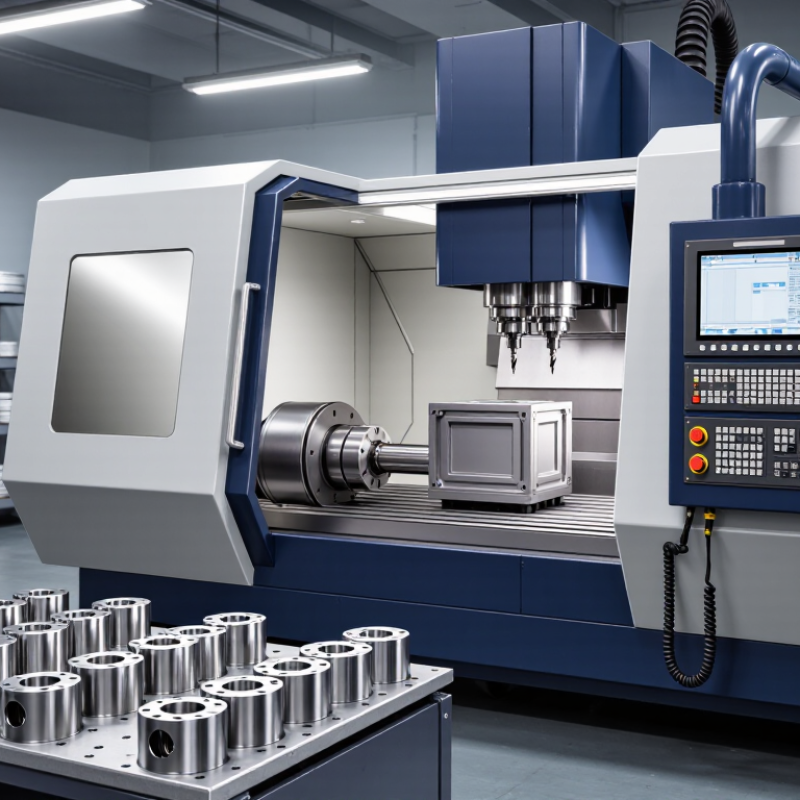
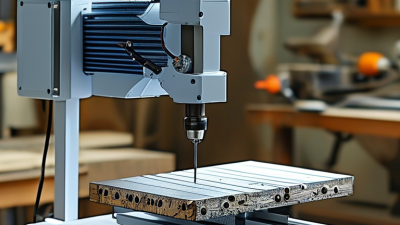
A CNC machine uses computer instructions to control tools and move materials with precision. CNC means computer numerical control. Instead of guiding a cutter by hand, an operator prepares a design and turns it into a toolpath. The controller follows that path by moving the machine’s axes, often labeled X, Y, and Z. A spindle might rotate an end mill above an aluminum workpiece held firmly in a vise. Small details matter.
Before cutting begins, the operator secures the material, selects a tool, and sets a reference point. The machine then follows programmed commands that define movement, speed, and cutting depth. Milling machines remove material with rotating tools; lathes rotate the workpiece against a cutting tool. The first cut is not always clean. A loose clamp, worn cutter, or incorrect offset can spoil a part, even when the design looks right on screen.
Many machines use sensors or feedback systems to monitor position, but their capabilities vary. CNC does not remove the need for judgment. Operators still check tool condition, listen for unusual vibration, and measure finished parts with calipers. A tidy simulation can hide a poor setup, and that is easy to overlook. When a cut sounds rough or leaves burrs along an edge, adjusting the feed rate or checking the tool may be more useful than simply rerunning the program.
| Topic | What It Means | Business Relevance |
|---|---|---|
| What a CNC machine is | A computer numerical control (CNC) machine uses programmed instructions to control the movement of tools or workpieces during manufacturing. | It can perform programmed operations repeatedly, helping businesses produce consistent parts when the machine is set up and maintained correctly. |
| Typical machining processes | CNC equipment can support processes such as milling, turning, drilling, and routing. The available processes depend on the machine type and its tooling. | A business can select equipment suited to its materials, part geometry, production volume, and required operations. |
| From design to instructions | A part is commonly designed in CAD software. CAM software can use that geometry to create toolpaths, which are converted by a postprocessor into instructions compatible with a particular machine control. | Digital design and toolpath preparation make it possible to plan and revise machining operations before production. |
| Programmed instructions | Many CNC machines use G-code, along with other control commands, to specify movements and operations. The exact language and supported commands vary by control and machine. | Programs can be saved, checked, and reused for repeat jobs, subject to appropriate setup, tooling, and workholding. |
| Axis movement | A common 3-axis milling machine moves along the X, Y, and Z linear axes. Additional axes can enable rotary movement or different tool and workpiece orientations. | More axes can allow certain complex features to be machined with fewer repositioning steps, but add cost and programming considerations. |
| Machine control and motion | The CNC controller interprets the program and coordinates machine movements. Motors and drive systems move the axes; feedback arrangements differ between machines. | Controlled motion supports repeatable execution, while the achievable accuracy depends on the machine, tooling, setup, material, and operating conditions. |
| Material removal | In subtractive CNC machining, a cutting tool removes material from a workpiece to create the programmed shape. Cutting conditions must suit the material and tool. | Businesses can make parts from materials compatible with the machine and cutting tools, while planning for material waste, tool wear, and finishing needs. |
| Setup and workholding | The workpiece must be positioned and secured, and the correct tools, offsets, and program settings must be established before machining. | Careful setup helps reduce errors and supports safe, repeatable production. A CNC program does not eliminate the need for skilled operators. |
| Inspection and quality control | Finished parts can be checked with suitable measuring instruments against the drawing or specification. Inspection methods depend on the part and required tolerances. | Quality checks help identify setup or process issues and verify that parts meet customer and engineering requirements. |
| Choosing equipment | Machine selection depends on factors such as work envelope, axis configuration, spindle or process capability, materials, tooling, software, and support needs. | Matching the machine to actual production requirements can help avoid paying for unnecessary capability or selecting equipment that cannot handle the intended work. |
Related Posts
-
What Is the Best Small CNC Lathe to Buy?
-

5 Smart Tips for Choosing the Right Small CNC Mill for Your Business Needs
-

7 Incredible Advantages of Using CNC Router Machines for Your Business
-
Exploring CNC Router Innovations at 2025 China Import and Export Fair 138th Session
-
Best Small CNC Mill for Beginners and Hobbyists?
-
Top 10 Mini CNC Machines for Every Maker's Workshop?
