
Blog

Why Choose Vinyl Cutter Software for Your Business?

Choosing the right Vinyl Cutter Software can shape how efficiently a business turns digital artwork into finished products. A small sign shop may begin with one cutter, a laptop, and rolls of adhesive vinyl. As orders grow, that simple setup can become difficult to manage. Accurate software helps operators prepare designs, control cutting paths, adjust scale, and reduce avoidable material waste.

In daily production, experienced users often look for compatibility before attractive features. The software should communicate reliably with the cutter and support common file formats. It should also provide useful tools for weeding lines, mirrored transfers, layered graphics, and precise blade settings. A clear preview can prevent an expensive mistake before the machine starts. That matters when a single roll of specialty vinyl costs more than expected. Good technical support and regular updates also strengthen confidence, especially when operating systems or cutter drivers change.

Still, Vinyl Cutter Software is not a magic solution. New users may need time to understand nodes, offsets, pressure settings, and material behavior. Even skilled operators can miss a tiny gap in a letter or choose the wrong cutting depth. I have found that testing on a small sample remains wise, although it can slow production slightly. The best choice depends on the business workflow, team experience, equipment, and budget. A careful evaluation should compare trial results, customer support, design control, and long-term reliability rather than relying on impressive advertising alone.
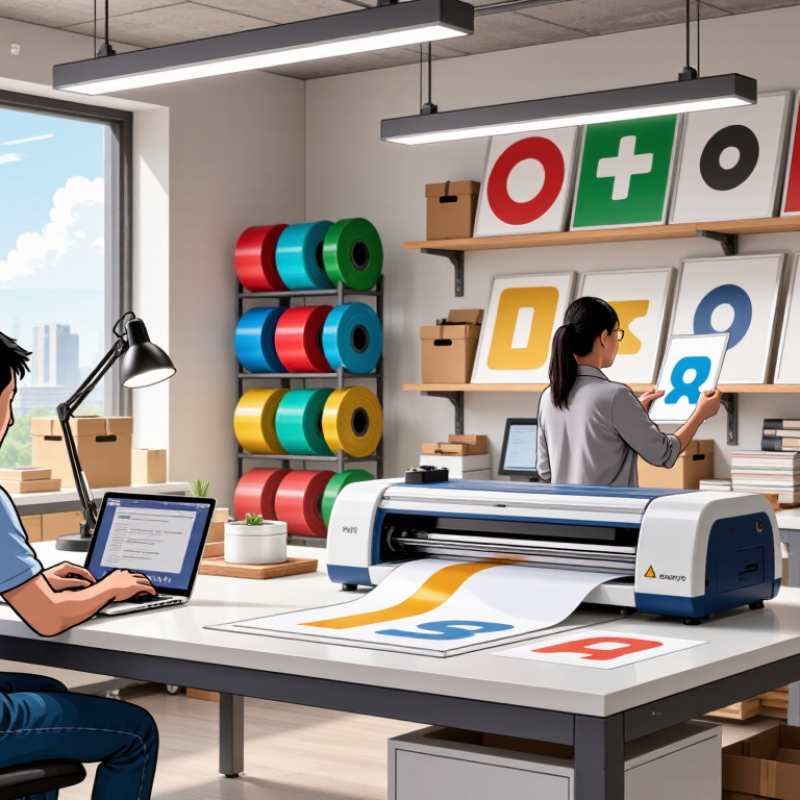
Why Choose Vinyl Cutter Software for Your Business?

What Is Vinyl Cutter Software and How Does It Work?

Why Choose Vinyl Cutter Software for Your Business?

What Is Vinyl Cutter Software and How Does It Work?

Vinyl cutter software converts artwork into cutting instructions for a plotter. It reads vector paths, assigns cut lines, and controls blade movement. The software also manages scale, spacing, weeding boxes, and material settings. In practice, this means a storefront letter can be designed, previewed, and cut with fewer manual adjustments. It is software. But accuracy depends on preparation.

A typical workflow begins with a vector file. The program removes overlapping paths and separates colors or layers. It then sends coordinates to the cutter through a wired or wireless connection. Blade pressure and cutting speed must match the vinyl’s thickness. Small errors matter. A deep blade can damage the backing sheet, while low pressure leaves unfinished corners. I still misjudge margins sometimes, especially with narrow lettering.

Industry data supports the need for efficient digital production. Smithers reported that the global digital print market was worth about $136.7 billion in 2023, with continued growth expected through 2028. Grand View Research also identified signage and display applications as important areas for digital printing expansion. These figures do not measure vinyl cutter software directly. They show a wider shift toward flexible, short-run production. Software helps businesses respond to that shift by reducing setup time and improving repeatability. However, automatic settings are not always perfect. Material testing remains essential before selling a finished job.

Which Business Tasks Can Vinyl Cutter Software Simplify?

Vinyl cutter software can simplify everyday business tasks by turning designs into precise cutting instructions. It helps create window graphics, product labels, packaging stickers, wall signs, and simple apparel artwork. Instead of measuring each element by hand, staff can set dimensions, align objects, and duplicate designs in minutes. This reduces repetitive work and supports more consistent results across small and large orders.

The software also helps organize production. Teams can separate colors, preview cutting paths, and arrange shapes to reduce material waste. A small print shop might prepare fifty identical labels, while a café can update opening-hour decals without rebuilding the entire file. File storage makes repeat orders easier to manage. Still, no workflow is perfect. I have found that automatic spacing can look correct on screen but feel uneven after cutting. A physical test remains important.

Tips: Keep a measurement checklist near the workstation. Test one piece before starting a full batch. Use clear file names, such as “Front_Window_2026,” to prevent mistakes. Clean the cutting surface regularly, and inspect small lettering at actual size. Leave extra material around detailed designs, because tight spacing can cause lifting or tearing. Train staff to verify text, scale, and material settings before pressing “cut.”

How Does It Improve Design Accuracy and Production Efficiency?

Accurate cutting begins with accurate design data. Vinyl cutter software converts artwork into clean vector paths, reducing rough edges and uneven corners. Operators can set exact dimensions, spacing, and alignment before material reaches the cutter. That matters.

A practical workflow starts with a measured template. Text can follow a curve, objects can share consistent margins, and repeated elements can be duplicated precisely. Grid tools help prevent small shifts across signs, labels, and window graphics. During production, saved settings reduce repeated manual adjustments. A test cut also confirms blade depth, speed, and pressure for each material.

Efficiency improves when the software separates colors, manages layers, and organizes multiple jobs in one queue. Operators spend less time rebuilding files and more time cutting, weeding, and applying finished graphics. Clear previews can reveal overlapping paths or missing shapes before they waste vinyl. Still, the process is not flawless. Poor artwork remains poor after importing, and software cannot detect every material problem. A slight surface curve or unexpected vinyl stretch may create a mismatch. I would inspect the first finished piece, not trust the screen alone. Reliable teams record corrections, compare actual results, and adjust future files. This habit turns design accuracy into repeatable production quality.

Why Choose Vinyl Cutter Software for Your Business? - How Does It Improve Design Accuracy and Production Efficiency?

Performance Dimension Traditional Manual Workflow Workflow Using Vinyl Cutter Software Business Benefit
Design accuracy Depends heavily on manual measurement and drawing Exact dimensions can be entered numerically and reproduced consistently Fewer sizing errors and more consistent finished products
Vector path control Curves and corners may vary between designs Nodes, curves, offsets, and cut lines can be edited precisely Cleaner edges and fewer cutting defects
Design revisions Redrawing may be required for significant changes Text, size, spacing, color layers, and shapes can be changed in the saved file Faster approval cycles and easier customization
Repeat orders Previous measurements may need to be recreated Digital files can be archived and reopened for consistent reproduction Lower setup time for recurring orders
Material layout Nesting multiple designs is difficult to optimize manually Objects can be duplicated, aligned, rotated, and arranged before cutting Better material utilization and less avoidable waste
Production preparation Cutting instructions are often prepared manually Cut lines, weeding borders, registration marks, and layers can be prepared digitally More predictable production and fewer preparation mistakes
File compatibility Manual recreation may be needed when artwork formats differ Common vector artwork formats such as SVG, DXF, EPS, and PDF can be prepared or imported, depending on the software Smoother handoff between design and production
Quality control Errors may be discovered only after cutting Preview, scale checks, path inspection, and test-cut planning can be completed before production Reduced rework and improved order reliability
Production scalability Output is limited by manual drawing and setup capacity Templates, batch copies, and reusable presets support larger order volumes Higher throughput without repeating the entire design process
Note: Actual accuracy, cutting speed, material waste, and output capacity depend on the cutter, blade condition, material, artwork complexity, operator skill, and software settings.

What Features Should Businesses Evaluate Before Choosing Software?

Choosing vinyl cutter software requires more than checking its tool count. Businesses should test how it handles real production files, rushed edits, and repeated orders. Grand View Research valued the global digital printing market at about $36 billion in 2022, with continued growth expected through 2030. That growth increases pressure for reliable, efficient workflows.

Evaluate file compatibility, vector editing, nesting, contour cutting, and material presets. The software should display blade paths before cutting. It should also support job queues, barcode tracking, color management, and clear production reports. A small preview error can waste an entire roll. That gap matters. In daily production, simple controls often outperform crowded interfaces. However, cloud access, automatic updates, and data security deserve careful review. Industry reports may show market growth, but they cannot prove that one workflow fits every workshop.

Tips: Request a trial using your own artwork. Test small text, curved corners, layered graphics, and long panels. Measure setup time and material waste. Ask whether support responds with practical instructions, not generic links. Check export options before signing a contract. A feature list can still mislead. Also compare training needs, offline access, and total ownership costs. The cheapest license may demand more labor later. Metrics from the annual SGIA industry surveys repeatedly emphasize productivity, consistency, and automation as important operational priorities, yet businesses should validate those priorities against their actual order volume.

Why Choose Vinyl Cutter Software for Your Business?

Key features businesses should evaluate before choosing vinyl cutter software

This example scorecard assigns a practical evaluation weight to each feature. Cutting accuracy and file compatibility receive the highest weights because they directly affect production quality, rework, and workflow efficiency. Businesses can adjust these percentages to match their materials, equipment, order volume, and team experience.

How Can Companies Integrate Vinyl Cutter Software Into Their Workflow?

Vinyl cutter software can connect design, production, and order tracking in one workflow. Companies can import approved artwork, set material sizes, and send cut files directly to production. This reduces repeated data entry and helps operators avoid incorrect dimensions. According to Grand View Research, the global digital printing market was valued at approximately USD 36.2 billion in 2023. That growth reflects stronger demand for flexible, short-run production.

Integration should begin with a simple process map. Link the software with design folders, inventory records, and job-ticket systems. Each order can include the customer reference, vinyl type, blade setting, quantity, and delivery date. Operators can then scan the job ticket before cutting. This creates a clearer audit trail. It also helps managers compare waste, rework, and machine time. However, software cannot repair poor artwork or unclear approval procedures. That remains a human weakness.

Tips: Start with one cutter and one product category. Use standard file names, such as Order458_BlackVinyl_600mm. Save tested blade settings for common materials. Review failed cuts every week. The 2024 State of Manufacturing Report from Deloitte highlights ongoing pressure to improve productivity and operational visibility. Still, companies should measure real results, not assume automation works. A faster cut is not useful when trimming, packing, or approval delays remain unchanged.

Go to Top